


.png)

.png)


.avif)
Most Canadian businesses don't know what a website should cost.
They get three quotes that look like they're from three different planets.
One agency in Toronto says $25,000. A freelancer in Lethbridge says $1,800. A guy on Fiverr in Pakistan says $400 and promises it in 48 hours.
So which one is right?
All of them. And none of them.
The honest answer is that a website in Canada in 2026 can cost anywhere from $0 to over $250,000. The difference is not what most people think it is. It isn't just hours of work. It isn't just design. It's whether the thing you build actually ranks, actually converts, and actually compounds in value over the next five years. Or whether it just sits there looking pretty while your competitors take your phone calls.
This guide is for the welding shop in Medicine Hat that's been getting by on Google Business Profile and word of mouth and is finally tired of waiting for the phone to ring. It's for the contractor in Saskatoon who got burned by a $10,000 build that disappeared off Google after three months. It's for the equipment dealer in Red Deer staring at quotes from three different agencies and trying to figure out who's lying.
We're going to walk through what websites actually cost in Canada in 2026. Real ranges. What each tier gets you. Where AI is cutting costs and where it can't help you. The hidden line items nobody quotes. How to spot a bad deal. How to know when a $20,000 build will pay for itself faster than a $3,000 one.
No fluff. No jargon. No "leverage synergies."
Just the numbers, the trade-offs, and the things every Canadian business owner should know before signing anything.

1. The Real Canadian Website Cost Ranges in 2026
Let's start with the table everyone wants. These are honest 2026 ranges for Canadian businesses. CAD, taxes not included.
Now the reality check.
Most Canadian small businesses overspend on the wrong tier and underspend on the right one. A $25,000 custom build with no SEO architecture is worth less than an $8,000 build with proper structure. A $500 Squarespace site that ranks for one local keyword can outperform a $40,000 custom site nobody can find on Google.
Cost is not the same as value. And value, in 2026, comes from one thing: whether your website is the engine of your lead generation or just the storefront sign.
We'll get to that.
First, what does each of these tiers actually look like in the wild?
Want a clearer breakdown for your specific situation? See our website pricing page →
2. What Each Tier Actually Gets You
2.1 The $0 to $600 DIY tier
You sign up for Wix, Squarespace, or Shopify. You pick a template. You drag and drop. You write the copy yourself. You publish.
What you get: a page on the internet. A theme. A contact form. Maybe a blog. Hosting included.
What you don't get: any meaningful SEO, page speed optimization for Canadian search results, custom functionality, a real brand, or any chance of ranking for anything competitive. Templates get used by thousands of other businesses. Google knows.
This tier works for a one-person side hustle, a Saturday market business, or as a placeholder while you save up for something real. It doesn't work as a lead generation engine for a serious business.
If you're a tradesperson in Calgary trying to compete with five other contractors for the same Google search, a Wix template won't get you there. Not because Wix is bad. Because the structure underneath those templates was never designed for that fight.
2.2 The $1,500 to $4,000 templated freelancer tier
A freelancer takes a pre-built theme on WordPress, Webflow, or Shopify. They swap in your logo, your colours, your photos. They add four or five pages. They hand it off.
What you get: a site that looks more polished than DIY. Real domain. Slightly better SEO baseline (if the theme is decent). A handover document.
What you don't get: a custom design, real SEO research, conversion-focused copy, or anything that will rank in a competitive market. You also probably don't get ongoing support. The freelancer cashes the cheque and you're on your own.
This tier is honest if your needs are honest. If you're a small one-person shop, a service business with mostly word of mouth leads, or you just need a place to send people who already know your name, this is fine. It's a business card on the internet.
It's not a marketing system. It was never meant to be.
2.3 The $4,000 to $12,000 custom freelancer or small studio tier
Now you're talking to someone who actually designs the site for you. They have a discovery process. They write or guide the copy. They think about your customers. They probably build on Webflow, WordPress, or a similar CMS, and the design is unique to your business.
What you get: a site that doesn't look like a template. Better page speed. Some real SEO foundations (proper title tags, meta descriptions, schema markup). Mobile-first design. Probably a real content management system you can update yourself.
What you don't get: deep keyword research and content architecture, conversion rate optimization, integrations with your CRM or quote tools, performance testing, accessibility compliance, or any meaningful ongoing strategy. The freelancer is great at building. They're probably not a marketer.
This tier is where most Canadian small businesses land. And it's the tier where the most money is wasted. Because the work is good. The site is pretty. But it doesn't rank. It doesn't convert. And six months later, the owner is back on Kijiji looking for another freelancer to "fix" it.
The site isn't broken. The system never got built in the first place.
2.4 The $8,000 to $25,000 mid-market agency tier
Now you're working with a small agency or a senior studio. They have a process. They do a kickoff. They might do user research, light keyword research, or a competitive analysis. The design has multiple rounds. The site is built on a serious platform with proper SEO setup.
What you get: a real custom design, conversion-aware layouts, foundational SEO done properly (technical SEO, on-page optimization, structured data), responsive design tested across devices, basic analytics setup, and usually some content help.
What you don't get if you're not careful: a lead generation system. A lot of agencies in this range build beautiful sites and then walk away. The site is technically sound. It's just not connected to anything that drives traffic to it.
This is where the difference between a "website project" and a "growth project" really starts to matter. If the agency hands you a site and disappears, you have a brochure. If they hand you a site and a plan for the next six months of SEO, content, and ads, you have an engine.
Ask before you sign: what happens the day after launch?
2.5 The $15,000 to $60,000 full custom build tier
This is where serious lead generation websites live in Canada. Custom design from scratch. Real keyword and competitor research baked into the structure. Content written for conversion. SEO architecture planned before the first page is built. Real performance optimization (page speed under 2 seconds, Core Web Vitals in the green, mobile-first everything). Real integrations (CRM, quote tools, scheduling, payment, automation).
What you get: a site designed to rank from day one, not patched for SEO after the fact. A site that converts visitors into leads at a known rate. A site that gets faster, not slower, as you add to it. A site you can build content, ads, and email marketing around.
What you should still ask for: a launch plan. A content calendar. A monthly review process. Tracking that shows you which keywords are converting and which pages need work.
This is the tier that pays for itself the fastest if you're committed to lead generation as a long-term play. Most Canadian shops in this tier see ROI within four to nine months if the build is done right and the launch is supported.
See our website design services →
2.6 The $20,000 to $150,000 custom ecommerce tier
You're selling products online. Real volume. Real inventory. Real fulfilment.
What you get: Shopify Plus, BigCommerce, or headless commerce setup. Custom product pages. Custom checkout flow. Integrations with shipping, accounting, ERP, email, SMS, abandoned cart recovery, loyalty, reviews, search, and personalization. PCI compliance. Performance optimization for product image-heavy pages. International tax and currency handling.
What you don't get: a guarantee that anyone buys. The site is the engine. The traffic is still your job.
2.7 The $80,000+ enterprise tier
Custom platform. Multiple integrations. Maybe a customer portal. Maybe a booking system that connects to your fleet. Maybe a quoting tool that does real-time pricing based on materials. Maybe a multi-language, multi-province, multi-brand setup.
If this is you, you already know it. You're not reading a pricing guide on the internet.
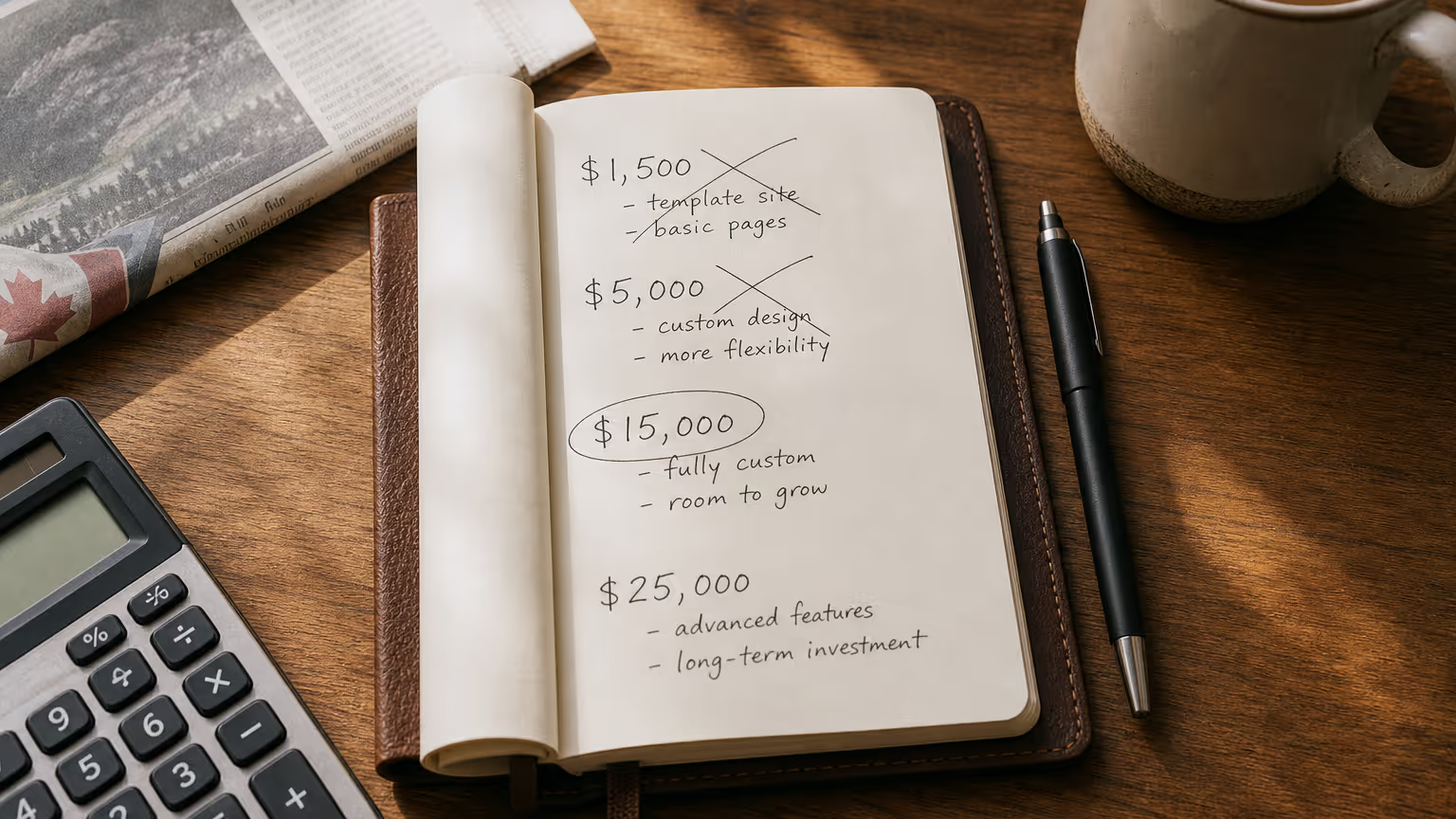
3. What Actually Drives the Price Up or Down
The tier above tells you the rough number. But what makes a project land at the top of a range or the bottom? Here's the honest list.
3.1 Scope
The biggest cost lever, every time. A 5-page site is cheaper than a 25-page site. A 25-page site is cheaper than a 200-page site with a product catalogue. Scope creep is the single biggest reason projects go over budget.
Define scope tightly before you sign. List the exact pages. List the exact functionality. Anything added later is a change order.
3.2 Custom design vs template
A custom design from scratch is two to ten times more expensive than starting from a template. The trade-off is differentiation. If you're in a competitive market where the top five competitors all look identical, custom design pays for itself in conversion rate alone. If you're in a quiet local market with no competition, a clean template is fine.
3.3 Functionality
Every feature has a cost. Login areas. Member portals. Online booking. Quote calculators. File uploads. Multi-language. Search. Filters. Comparison tools. CRM sync. Payment processing. Each one is a separate decision and a separate line item.
The mistake most businesses make is asking for features they don't actually need because they sound nice. A welding shop in Brooks doesn't need a 12-language site. A custom quote calculator that took 40 hours to build and gets used twice a month wasn't worth $4,000.
3.4 Content
Who writes the copy? If you do, the project is faster and cheaper. If the agency does, expect $200 to $400 per page in copywriting fees. Good copy is the difference between a site that converts and a site that doesn't.
Don't skimp here. The best designed page with bad copy will lose to a plain page with great copy every time.
3.5 Photography and video
Stock photography is free or cheap. Custom photography of your shop, your team, your work, your customers, costs $1,500 to $5,000 for a half-day shoot. Custom video runs $2,500 to $15,000.
For trades and service businesses in Canada, custom photography is the single highest-ROI add-on you can buy. Buyers want to see real people doing real work. Not a stock photo of a guy in khakis pointing at a clipboard.
3.6 Integrations
Every integration is a separate cost. Connecting your website to QuickBooks. To HubSpot. To Mailchimp. To Stripe. To a scheduling tool. To a custom inventory system. Some integrations are plug-and-play (Mailchimp). Some are weeks of custom work (your legacy quoting system from 2008).
Ask up front. Get it priced. Or expect a surprise.
3.7 Compliance
If you're in healthcare, finance, legal, or government, compliance is its own line item. AODA accessibility in Ontario. PIPEDA privacy. CASL compliance for any email signup form. PCI compliance for ecommerce. These are not optional and they're not free.
For most businesses outside regulated industries, the compliance load is manageable. For some, it's the single biggest cost driver.
3.8 SEO architecture
This is the line item most agencies don't price up front and most clients don't know to ask about. Proper keyword research before structure is set. Site architecture designed around search intent. Schema markup. Internal linking strategy. Core Web Vitals optimization. Image optimization. Mobile-first responsive testing.
A site built without SEO architecture costs less up front and more in the long run. Way more. Because you'll pay to rebuild it in eighteen months when you realize nobody's finding you on Google.
4. AI in 2026: Where It Cuts Costs and Where It Doesn't
The conversation about AI and websites has gotten lazy. People at networking events in Calgary are saying "AI builds your whole website in a day for free now." That's wrong. People at conferences in Toronto are saying "AI changes nothing for serious businesses." That's also wrong.
The truth is in the middle. AI changes some things dramatically. Other things, not at all.
4.1 What AI genuinely speeds up in 2026
Visual mockups and design exploration. AI tools like Figma's AI features, Framer AI, and Webflow's AI assistant can spit out a first-draft layout for a homepage in twenty minutes. That used to take a designer two days. The visuals are decent. The layout is logical. The colour theory holds.
Code scaffolding. Building the basic structure of a page from a Figma file used to take a developer four to eight hours. AI-assisted developers using Cursor, Copilot, or v0 can ship the same scaffold in one hour, sometimes less.
Copy first drafts. AI can write a draft "About" page in thirty seconds. It's mediocre. It needs editing. But it beats staring at a blank page for an hour.
Image generation and editing. Stock photo budgets are dropping fast because AI tools generate decent imagery for non-hero use cases. Background removal, image upscaling, retouching, all faster and cheaper.
Quality analysis. This is the underrated one. AI is genuinely excellent at reviewing an existing website and finding the structural problems. Page speed issues. Accessibility issues. Broken internal links. Missing meta tags. Bad image compression. Things that used to take a human auditor four hours, AI can flag in fifteen minutes.
For most Canadian small businesses, the real AI win on websites in 2026 isn't "build me a site from scratch." It's "audit my existing site and tell me what's broken." That's where the time savings are massive.
4.2 Where AI does not save you money on a website
Strategy. AI doesn't know your business. It doesn't know who buys from you, why, what they care about, or what makes you different from the welder one town over. Telling AI to "design a website for a welding shop in Alberta" gets you the same generic output as every other welding shop in Alberta. That's not a competitive advantage. That's a template with extra steps.
Original content. AI-written content that hasn't been heavily edited by someone who actually knows the business reads like AI-written content. Google's algorithms in late 2025 and 2026 are aggressively demoting it. Customers spot it. Trust drops.
Conversion design. AI knows what a homepage looks like. It doesn't know why your phone isn't ringing. Real conversion design comes from looking at your actual customers, your actual sales calls, your actual quotes that went cold. That's human work. It always will be.
Photography that matters. AI-generated images of "a welder welding" are visibly fake to anyone who's ever held a stinger. Real photos of your real shop, your real team, your real work, are the trust signal no AI can fake. If your business depends on local credibility, custom photography is still essential.
Brand. AI can mimic brand. It can't create one. The personality of a business comes from the people, the history, the regional accent, the inside jokes with customers, the way the owner answers the phone. None of that is in any model.
4.3 The AI illusion: it builds the frame, not the house
Here's the thing every Canadian business owner needs to understand about AI websites in 2026.
AI is excellent at producing the visible part of a website. The look. The layout. The first draft of the copy. The image placeholders. The basic page structure.
That part of the work has gotten cheaper. A lot cheaper. If a freelancer was charging $4,000 for that work in 2022, they can probably do it for $2,000 in 2026 and still make money. Good for buyers.
But the visible part isn't what makes a website rank or convert. The visible part is the frame of the house. The roof, the walls, the paint.
The plumbing, the wiring, the foundation, the building permits, the inspection, the structural engineering. All the things that determine whether the house actually works. AI can't do those.
And in a website, those things are SEO architecture, site structure, technical optimization, user experience design rooted in real customer research, conversion rate optimization, and the strategic plan that ties it all to your business outcomes.
This is the next section, because it's the most important one in this entire guide.
5. The Piece AI Can't Build: SEO and Site Structure
If you take one thing away from this guide, take this. The reason a $25,000 site can be worth ten times more than a $4,000 site isn't the design. It's the structure underneath it.
And in 2026, with AI shrinking the cost of the visible layer, the structure is now where the real value of a website lives.
Let's go through what that actually means.
5.1 Keyword and intent research before structure
A real website project starts with a research phase that has nothing to do with design. It looks like this.
You list out who buys from you. You list out what they search for when they're looking for what you sell. You pull data on those searches: how often Canadians actually search for those terms, how competitive each one is, what kind of content currently ranks for them, and what the searcher actually wants when they type those words.
You do this for ten, twenty, fifty keywords. You group them by intent. Informational searches (people learning). Commercial searches (people comparing options). Transactional searches (people ready to buy).
Now you have a map of every page your site needs and what each page needs to do. The homepage targets one set of keywords. The service pages target others. The blog targets others. The case studies target others.
This research takes a real human three to ten hours. AI can help with the data collection. It can't make the strategic decisions about what to build for whom.
This step alone determines whether your site has a fighting chance of ranking. Skip it and you're building a beautiful house on a swamp.
5.2 Site architecture and internal linking
Once you know what pages you need, you decide how they connect. Which pages are at the top level. Which are children of which parent. How users (and Google) move through the site.
Internal linking is one of the most overlooked SEO factors in 2026. Google uses internal links to understand which pages on your site are the most important. If your "Welding Services Lethbridge" page has one inbound link from a forgotten blog post, Google thinks it isn't important. If it has fifteen contextual links from related content, Google understands it's a primary page.
Setting up the link structure properly during the build is cheap. Going back and fixing it later, after content is scattered everywhere, is expensive and painful.
This is human strategy work. AI tools can map your existing links and suggest improvements. They can't design the structure from scratch with your business goals in mind.
5.3 Technical SEO baked into the build
There's a long list of technical things that need to be set up correctly during the build, not after.
Page speed. Real measured speed. Under 2 seconds on a 4G mobile connection from rural Saskatchewan, not just from a developer's fibre line in downtown Toronto.
Core Web Vitals. Largest Contentful Paint under 2.5 seconds. Interaction to Next Paint under 200 milliseconds. Cumulative Layout Shift under 0.1. Google uses these as ranking factors. Not occasionally. Always. (Reference: web.dev / Google's official Core Web Vitals docs)
Mobile-first design. Not "responsive". Mobile first. More than 70 percent of searches from Canadian small business customers in 2026 happen on mobile. If your site is built for desktop and adapted for mobile, it loses.
Structured data. Schema markup tells Google exactly what your business is, where you operate, what services you offer, what your reviews say. Done correctly, it gets you rich results in search. Done incorrectly, it gets you penalized.
HTTPS. Security headers. Redirects. Canonical tags. Robots files. XML sitemaps. Hreflang for multilingual sites. Image optimization. Lazy loading. Asset minification. CDN configuration.
None of this is glamorous. All of it matters. And all of it has to be set up by someone who knows what they're doing. AI can flag problems on an existing site. It can't architect a clean technical foundation for a new build.
5.4 Content structure on the page
Beyond the site level, every individual page has its own structure. Headings in the right hierarchy. Title tags written for click-through. Meta descriptions that match search intent. Body copy organized so both humans and Google can scan it. Internal links that pass authority to the right places. Images with descriptive alt text. Schema markup for that specific page type.
This is where most cheap websites fall apart. The page looks fine. The structure underneath is a mess. Google's bots crawl it and have no idea what it's about, so they don't rank it.
AI tools in 2026 can generate decent first drafts of page structure. They can't replace a human who understands what a Canadian welding shop owner is actually trying to convey to a procurement manager in Edmonton.
5.5 The honest summary on AI and SEO
AI in 2026 has made it faster and cheaper to build the visible parts of a website. That part is genuinely cheaper than it was three years ago.
AI has not made SEO and site structure cheaper. If anything, it's made the gap wider. Because now everyone has access to AI-built sites that look fine on the surface. The only thing that distinguishes the sites that actually rank and convert is the work AI can't do.
That work has not gotten cheaper. The expertise required to do it well is rarer. And demand for the people who know how to do it is going up, not down.
This is why a $20,000 build from an agency that takes SEO seriously is, in 2026, a better business decision for a Canadian small business than a $5,000 AI-assisted build with no architecture work. The $20,000 site pays for itself in compounding traffic over twelve to thirty-six months. The $5,000 site is a sunk cost.
Want a head start on planning yours? Grab our Website Planning Guide →
6. DIY vs Freelancer vs Agency: The True 3-Year Cost
Most pricing comparisons stop at the upfront build cost. That's misleading. Real cost is what you spend over three years, including the things you have to add back when the cheap option doesn't work.
Here's the honest math for a typical Canadian small business with a goal of generating leads from the website.
Option A: DIY on Wix or Squarespace
Year 1: $500 for premium plan, $200 for domain and email, $0 for design (your time), $300 for stock photos and icons. Total: $1,000.
Year 2: $600 in subscription, $1,500 in apps and add-ons you discover you need (forms, SEO tools, booking, analytics), $1,200 in your time fighting the platform. Total: $3,300.
Year 3: $600 subscription. You realize the site isn't ranking. You hire a freelancer to "fix" it for $3,000. They tell you it needs to be rebuilt. You start over. Total: $3,600 plus a future rebuild.
Three-year total: $7,900 plus the rebuild cost that's coming. And you've generated almost no inbound leads from the site.
Option B: $4,000 templated freelancer build
Year 1: $4,000 build, $300 hosting and domain, $200 photography. Total: $4,500.
Year 2: $300 hosting, $1,500 for the freelancer (or someone new) to make updates and add pages, $400 in plugin licences. Total: $2,200.
Year 3: $300 hosting, $2,000 for SEO catch-up work after realizing the site isn't ranking, $1,000 for a content refresh. Total: $3,300.
Three-year total: $10,000. Probably some leads. Not a system.
Option C: $20,000 custom build with SEO architecture done right
Year 1: $20,000 build, $1,500 hosting and analytics setup, $2,500 photography, $3,000 in initial content beyond what's included. Total: $27,000.
Year 2: $1,500 hosting and tools, $6,000 in ongoing content and SEO (one piece of content every six weeks, monthly SEO review). Total: $7,500.
Year 3: $1,500 hosting, $6,000 in ongoing content and SEO. Total: $7,500.
Three-year total: $42,000.
Now look at the lead generation side. A site built with SEO architecture and supported with ongoing content typically generates 10 to 50 inbound leads per month by month 12, and 30 to 200 inbound leads per month by month 36. At a conservative average lead value of $200 for a typical Canadian service business, that's $24,000 to $120,000 in lead value in month 36 alone.
The $20,000 build pays for itself. Multiple times over.
The $4,000 site, in three years, has generated maybe ten leads total. The Wix site, two.
This is the math nobody runs before they sign. Run it.
7. The Hidden Costs Nobody Quotes You
Here are the line items most agency proposals leave out and most freelancer quotes don't mention.
Hosting. After year one, expect $20 to $200 per month depending on the platform and traffic. Some platforms include hosting (Wix, Squarespace, Shopify). Others don't (WordPress, custom builds).
SSL certificates. Usually free now via Let's Encrypt. Sometimes $100 to $500 per year for premium certificates on ecommerce sites.
Email hosting. If you use a custom domain for email, expect $7 to $25 per user per month through Google Workspace or Microsoft 365.
Domain renewals. $20 to $80 per year per domain. Many Canadian businesses also own .ca and .com versions of their domain.
Plugin and app licences. WordPress sites in particular accumulate plugin costs. Form builders, SEO tools, security plugins, backup tools. Expect $300 to $2,000 per year on a serious WordPress site.
CRM and marketing automation. If your site connects to HubSpot, ActiveCampaign, or similar, those tools cost $50 to $1,500 per month depending on tier and contacts.
Photography and video refreshes. Buyer expectations change. Your shop changes. Expect to refresh photography every 18 to 36 months. Budget $1,500 to $5,000 each time.
Content creation. If you want to rank, you need new content. Blog posts. Case studies. Service pages. Expect $200 to $800 per piece if you outsource. A few hours per piece of your time if you write it yourself.
Accessibility audits. Especially in Ontario under AODA, but increasingly across Canada. Expect $1,500 to $5,000 for an annual audit on a serious business site.
CASL compliance reviews. If you collect email through your site, you need to be CASL compliant. Most sites aren't. A proper compliance check costs $500 to $2,000.
Privacy policy and terms of service updates. PIPEDA is being updated. CCPA and GDPR rules for cross-border traffic shift regularly. Expect to update legal pages every 12 to 24 months.
Performance monitoring. Tools like SEMrush, Ahrefs, or Google Analytics 4 premium features. $0 to $500 per month depending on how seriously you take SEO.
Maintenance and updates. WordPress and similar platforms need regular updates. Expect $50 to $500 per month for a maintenance plan, or budget the same in your own time.
The total of hidden costs on a serious business website in Canada is usually $3,000 to $10,000 per year above the build cost. Plan for it. Or get blindsided by it.

8. A Real Example: Jake's Welding
Let's put some real numbers on this. Jake's Welding is a fabrication shop in southern Ontario. They came to us with a site that was pretty but invisible. No phone calls from Google. No quote requests. Just the occasional referral.
The old site had been built for about $3,500 three years earlier by a freelancer who did good visual work. The site looked fine. It also wasn't ranking for a single relevant search term, didn't connect to any lead capture system, and didn't have a single piece of content beyond the home and contact pages.
We rebuilt it as a lead generation system, not a brochure.
What the project cost: a custom build with full SEO architecture, real keyword research, conversion-focused page structure, integrations with their CRM, and a launch content plan. Total project investment in the mid five figures, with ongoing monthly support for content and optimization.
What the project produced:
- Average cost per lead: ~$25 through Meta lead-gen campaigns
- Multi-six figures in new sales generated in 6 months
- From selling roughly a dozen units a year to many times that volume in under a year
- Multiple distribution conversations opened with national equipment dealers
The site didn't just look better. It worked.
This is the gap between a $3,500 brochure site and a real lead generation engine. Same shop. Same owner. Same trade. Different system underneath.
Read the full Jake's Welding case study →
See more website project case studies →
9. Provincial Differences, Taxes, and Writing It All Off
A website project in Canada isn't the same cost from province to province, and the way the cost gets treated for taxes is different than most owners realize.
9.1 Provincial labour cost differences
Toronto and Vancouver agencies charge the highest hourly rates in Canada in 2026. Expect $175 to $250 per hour for senior agency work in those markets.
Calgary, Edmonton, Ottawa, and Montreal sit in the middle. Expect $125 to $200 per hour.
Smaller markets (Saskatoon, Regina, Halifax, Winnipeg, smaller Alberta and Ontario cities) often run $90 to $160 per hour for senior work.
This is not a quality signal. Some of the best Canadian agencies operate from smaller cities and serve clients nationally. Geographic rates reflect office overhead and local labour markets more than capability. Don't pay Toronto rates if you don't have to.
9.2 GST, HST, PST
A website project in Canada is a taxable service. You'll pay GST or HST depending on the province the work is provided in. GST is 5 percent. Ontario HST is 13 percent. Atlantic HST is 15 percent.
If your business is registered for GST or HST, you can claim the input tax credit and recover that portion. If you're not registered (very small businesses under $30,000 in revenue), you can't.
PST in BC, Saskatchewan, and Manitoba may also apply on certain digital service components. Ask your accountant.
9.3 Capital expense vs operating expense
Here's the part most business owners get wrong. A website build for a Canadian business is, in most cases, considered a capital expense. The CRA treats the visible asset (the website) as a capital asset, depreciable over time, with the specific class depending on the build.
What this means in practice: you usually can't deduct the full $20,000 build in the year you spend it. You depreciate it over multiple years.
The ongoing costs (hosting, content, maintenance, ads) are operating expenses and fully deductible in the year incurred.
Talk to your accountant. Don't take this guide as tax advice. The tax treatment is different from what most owners assume, and a good accountant can usually structure the project to maximize early-year deductions. The CRA's guidance on capital cost allowance classes is the official reference if your accountant wants to dig in.
9.4 What's left of the grant landscape in 2026
Heads up if you've been told there are grants to cover part of your website project. The big one most agencies used to point to, the Canada Digital Adoption Program (CDAP) and its $15,000 Boost Your Business Technology grant, was closed in February and finalized in March 2024. It's gone. If anyone tells you in 2026 to "just apply for CDAP," they're working from old playbooks.
What's actually available varies by province and changes regularly. A few you can ask about as of writing:
- Alberta Innovates runs micro vouchers (up to $10,000) and full vouchers (up to $100,000), generally tied to tech, innovation, or commercialization work rather than straight marketing websites. Worth a look if your project has a tech or product component.
- The Business Development Bank of Canada (BDC) has a "LIFT" offering with preferential financing and consulting credits for digital adoption, AI, and smart equipment. Not a grant, but cheaper money.
- Provincial economic development offices (PrairiesCan in the Prairies, FedDev Ontario, Investissement Québec, ACOA in the Atlantic) run rotating programs that sometimes cover marketing or digital costs as part of larger growth projects.
A serious agency should know what's currently active in your province. If they don't, that's a signal about how plugged in they are to the Canadian business landscape. But don't budget your project around a hope of grant funding. Build the project on a plan that works without it, and treat any grant you do land as a bonus.
10. Realistic Timelines
Most quotes show a timeline that's about half what the project actually takes. Here are honest ranges.
- DIY site: 1 day to 2 weeks if you focus.
- Templated freelancer site: 3 to 8 weeks from kickoff to launch. Almost always longer than promised because of content delays on the client side.
- Custom freelancer site: 6 to 14 weeks. Same content delay problem.
- Mid-market agency build: 8 to 16 weeks.
- Full custom build with SEO architecture: 12 to 24 weeks.
- Custom ecommerce: 16 to 32 weeks.
- Enterprise: 6 months to a year and a half.
The single biggest factor in real timeline is content. The agency can build the design and the structure on time. They can't make you write your own copy or send your photos faster.
If you want a launch in 12 weeks, have your content ready at week 6.
11. Red Flags in Quotes That Are Too Cheap (or Too Expensive)
After hundreds of website projects, here are the patterns that signal a problem before you sign anything.
Red flags on cheap quotes
- The quote doesn't mention SEO at all. Anywhere. Not in the timeline, not in the deliverables, not in the methodology. They're building a brochure. You're paying for a paperweight.
- The quote doesn't include keyword research. Or it includes "SEO" as a single line item with no detail. SEO isn't one thing. If they can't break it down, they don't know it.
- The site will be built on a custom platform you've never heard of. Translation: you're locked into them forever. The day you fire them, your site becomes very hard to maintain.
- The agency or freelancer can't show you a portfolio of sites that actually rank. Anyone can show pretty screenshots. Ask: which of these sites is currently ranking on the first page of Google for a competitive term?
- There's no discovery process. They quoted you in 20 minutes without understanding your business. Whatever they're going to build, it'll be the same thing they build for everyone.
- Hosting and ongoing costs aren't disclosed. You will get surprised. Every time.
Red flags on expensive quotes
- The cost is high but you can't get a clear breakdown of where the budget goes. Vague proposals with big numbers protect the agency, not you.
- The proposal is heavy on jargon and light on outcomes. Lots of words like "ecosystem," "synergies," "transformation," "thought leadership." Few specific deliverables. Few specific results expected. Few specific timelines.
- The team you'd be working with isn't the team that sold the project. Common at large agencies. Senior people sell. Junior people deliver. You're paying senior rates for junior work.
- There's no clear definition of "done". When does the project end? What's the handover? What happens if they miss a milestone?
- The proposal doesn't mention measurement. How will we know if this worked? If they can't tell you, they're not accountable to a result. They're accountable to delivering the asset.
A serious quote, at any price point, breaks down what you're paying for, what success looks like, what happens if it doesn't, and how you'd measure that.
Talk to a real person about your project →
12. How to Budget for What You Actually Need
If you're a Canadian small business owner trying to figure out a realistic budget for a website project in 2026, here's the honest framework.
Start with the goal. Are you trying to generate leads from the website? Sell products online? Provide information to existing customers? Replace a broken site? Each of these has a different budget floor.
If the goal is to generate inbound leads as the engine of your growth, the budget floor in Canada in 2026 is roughly $15,000 for the build plus $500 to $1,500 per month for ongoing content and SEO. Anything less and you're underfunding the system that you need to actually work.
If the goal is brochure-style information for existing customers and word-of-mouth referrals, $4,000 to $8,000 for a build with no ongoing cost beyond hosting is fine. You're not asking the site to do much.
If the goal is online sales, the budget floor depends on what you're selling and at what volume. Low-volume direct-to-consumer can launch on Shopify for $5,000 to $12,000. High-volume or B2B requires $20,000 to $80,000 builds.
If the goal is replacing a broken site, get an audit first. Find out whether what's broken is the site itself or the strategy underneath. Often it's the strategy. Replacing the site doesn't fix that.
Whatever the budget, allocate it across three buckets:
- The build itself, roughly 60 to 70 percent
- The content (copywriting, photography, video), roughly 15 to 25 percent
- The launch and first three months of post-launch work (SEO, ads, optimization), roughly 10 to 20 percent
Most failed website projects in Canada happen because business owners spend 95 percent of the budget on the build and zero on launch. The site goes live to silence. Nobody ranks. Nobody visits. Then everyone blames the build.
The build is half the project. The launch is the other half. Budget for both.
13. Frequently Asked Questions
Is a $500 website ever enough?
Yes, but only in narrow cases. If you're a side hustle, a hobby business, a Saturday market, or a placeholder while you save for something real. Not enough if you're trying to compete for Google traffic in any meaningful market.
Can I really get a website built by AI for free?
You can get a visual mockup for free. You can't get a real, ranking, converting website for free. The work AI can't do is the work that determines whether the site is a business asset or a pretty placeholder.
What's the difference between a $5,000 and a $25,000 website?
Almost never the design alone. Usually the SEO architecture, the strategy work, the content depth, the integrations, the launch plan, and the ongoing support. The $25,000 site is designed to work for you for the next five years. The $5,000 site is a starting point.
How long until a new website pays for itself?
For a properly built lead generation site in a Canadian small business with decent margins, four to nine months is typical. Faster if you also invest in paid traffic from the start. Slower if you're waiting on SEO alone.
Should I pick a Canadian agency or an offshore one?
Both work, depending on the work. Offshore can be cost-effective for pure development. Canadian agencies usually win for strategy, content, and local market knowledge. If your customers are Canadian and your competition is Canadian, working with people who understand the market matters more than the dollar difference.
Why does a website cost more in Canada than in some other countries?
Labour costs. Canadian senior web developers and marketers in 2026 earn meaningfully more than their counterparts in much of the world. That's not a bug. It's a feature for businesses serving Canadian customers, because the work reflects local context.
What's the cheapest way to get a real website?
The honest answer: spend $4,000 to $8,000 with a custom freelancer or small studio, write your own copy carefully, and accept that the site won't rank for competitive terms. It'll be a clean brochure for your existing audience. Real lead generation requires more investment.
How often should I rebuild my website?
Every 3 to 5 years is typical, sometimes longer if the build was done right and the platform stays current. Sites built without SEO architecture often need a rebuild at the 18 to 24 month mark, which means the cheap option you picked was never cheap.
Should I worry about my old website if I redesign?
Yes. URLs need to redirect. Existing rankings need to be preserved. Content from the old site needs to move correctly. Ignoring this is how businesses lose 60 to 90 percent of their Google traffic on a relaunch. A serious agency handles this. Make sure yours does.
Is WordPress still the right platform in 2026?
For some businesses, yes. For others, no. WordPress still powers more than 40 percent of the web. It's flexible and powerful. It also has security and maintenance overhead that smaller, modern platforms (Webflow, Framer, modern Shopify) often avoid. The right platform depends on the business. Don't pick based on what's trendy.
How do I find an agency that actually knows what they're doing?
Look for case studies with real numbers. Real lead counts. Real cost per lead. Real revenue impact. Pretty screenshots aren't case studies. Anyone who only shows you what their work looks like, and not what it produced, is selling you the wrong thing.
Want to Talk?
If you're a Canadian business owner trying to figure out what your website should actually cost, what you should be building, or whether your current site is doing its job, we can help.
We don't sell template sites. We don't sell vague "digital transformation." We build websites designed from day one to rank on Google, convert visitors into leads, and pay for themselves within the first year for serious businesses.
Book a free 15-minute discovery call →
We'll look at where you are, what your goal actually is, and whether a real website investment makes sense for your business right now. If it doesn't, we'll tell you. If it does, we'll show you what the right number looks like for your situation.
No pitch deck. No "leverage synergies." Just a straight conversation between people who build websites for Canadian shops every day and the people who run them.
Real systems, real numbers, real talk. From Lethbridge to St. John's, and every shop in between.
NerdySpider builds websites, lead generation systems, and custom software for blue-collar businesses across Canada. Offices in Lethbridge and Diamond City, Alberta.
Home · Pricing · Website Design · Case Studies · Book a Discovery Call


.png)

.png)


.avif)