


.png)

.png)

.avif)
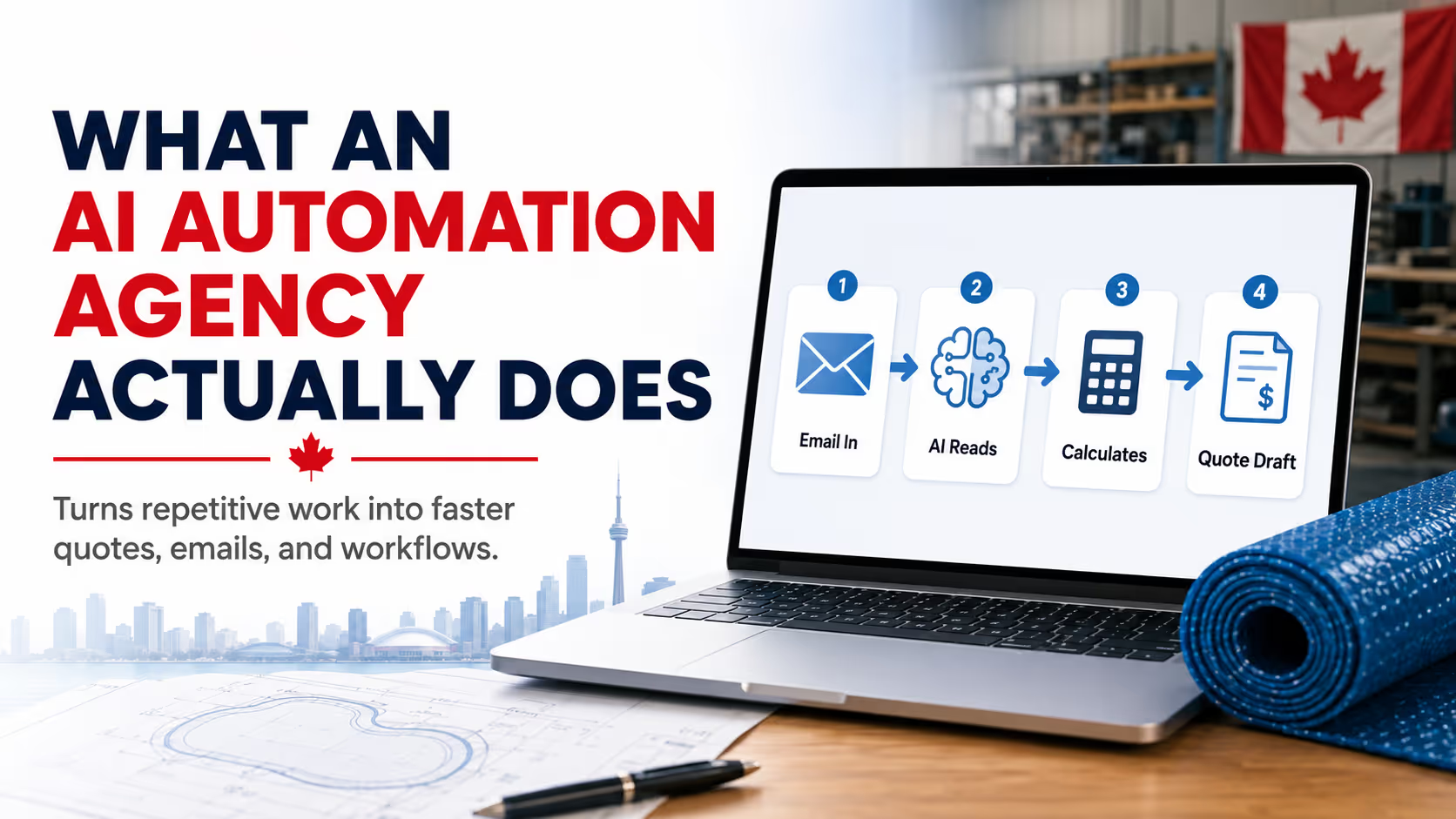
There are a lot of agencies right now putting "AI automation" on their homepages.
Some of them know what they are doing. Most of them do not.
Done right, an AI automation agency builds custom systems that connect the software you already use, let AI handle the messy human-language work like reading an email and pulling out the details that matter, and run the repetitive parts of your back office so you are not doing them at 11pm. Done wrong, it is a generic chatbot bolted onto your contact page and called a solution.
Those are two very different services at two very different price points. They are not the same thing.
This post is for the business owner who is trying to figure out the difference before they sign a contract. We will tell you what an AI automation agency actually does when the work is done right, walk you through one of our recent builds (a southern Alberta pool cover manufacturer whose Gmail inbox now generates its own quotes), and give you the questions to ask any agency that is pitching you in 2026.
No fluff, no jargon, no "leverage synergies."
1. What an AI automation agency actually is
An AI automation agency builds custom workflows that combine three things:
Automation infrastructure. Tools like Make.com, n8n, and Zapier that move data between systems and trigger actions on a schedule or in response to events. This part is not new. Businesses have been automating with these tools for a decade.
Large language models. APIs from OpenAI, Anthropic, and others that can read messy text, classify it, summarize it, extract structured data from it, and generate responses in plain English. This is the part that is new, and it is the part that makes the rest of the workflow possible.
Custom business logic. The actual rules of how your business operates. Pricing formulas, shipping calculations, lead scoring, quote thresholds, who needs to approve what. This part is the most important, and it is the part the cheap agencies skip.
A real automation agency stitches all three together into a system that does something useful. The chatbot agencies stop at the first two and ship you a wrapper around ChatGPT.
The difference, in practice, is whether the automation can actually do your job.
2. The hero example: a pool cover company that now quotes from its inbox
Our client is a pool cover manufacturer in southern Alberta. They make custom thermal covers in-shop and ship across the country. The owner runs the business hands-on, which is how most of the manufacturers we work with run theirs.
The quoting workflow before we got involved looked like this:
A potential customer would email the company through the website contact form, or directly to the owner's inbox. They would describe their pool. Sometimes well. Sometimes with rough dimensions on a napkin. Sometimes with a phone photo and the words "how much for one of these."
The owner would open the email. Calculate the cover dimensions based on whatever the customer had sent. Look up the right material based on pool depth and use case. Calculate shipping cost based on the customer's postal code and the rolled-up size of the finished cover. Write a quote email. Send it.
Each quote was somewhere between five and twenty minutes of his time. The leads were coming in from across the country, day and night. He was doing the quoting in the evenings, on weekends, between manufacturing runs. The lag from inquiry to quote was anywhere from a few hours to a few days, depending on what else was going on in the shop.
Two problems with that.
First, the time. The owner was the bottleneck. Every quote took him out of running the business. Every delay risked a customer going somewhere else.
Second, the variance. Manual quoting introduces inconsistency. One quote uses one shipping rate, another uses a different one. One customer gets a follow-up question about pool depth, another customer's depth gets assumed. Small inconsistencies stack up into pricing leaks and lost deals.
He came to us with one question: "Can you make this go away?"
Yes. Here is how we did it.
2.1 The build, in plain English
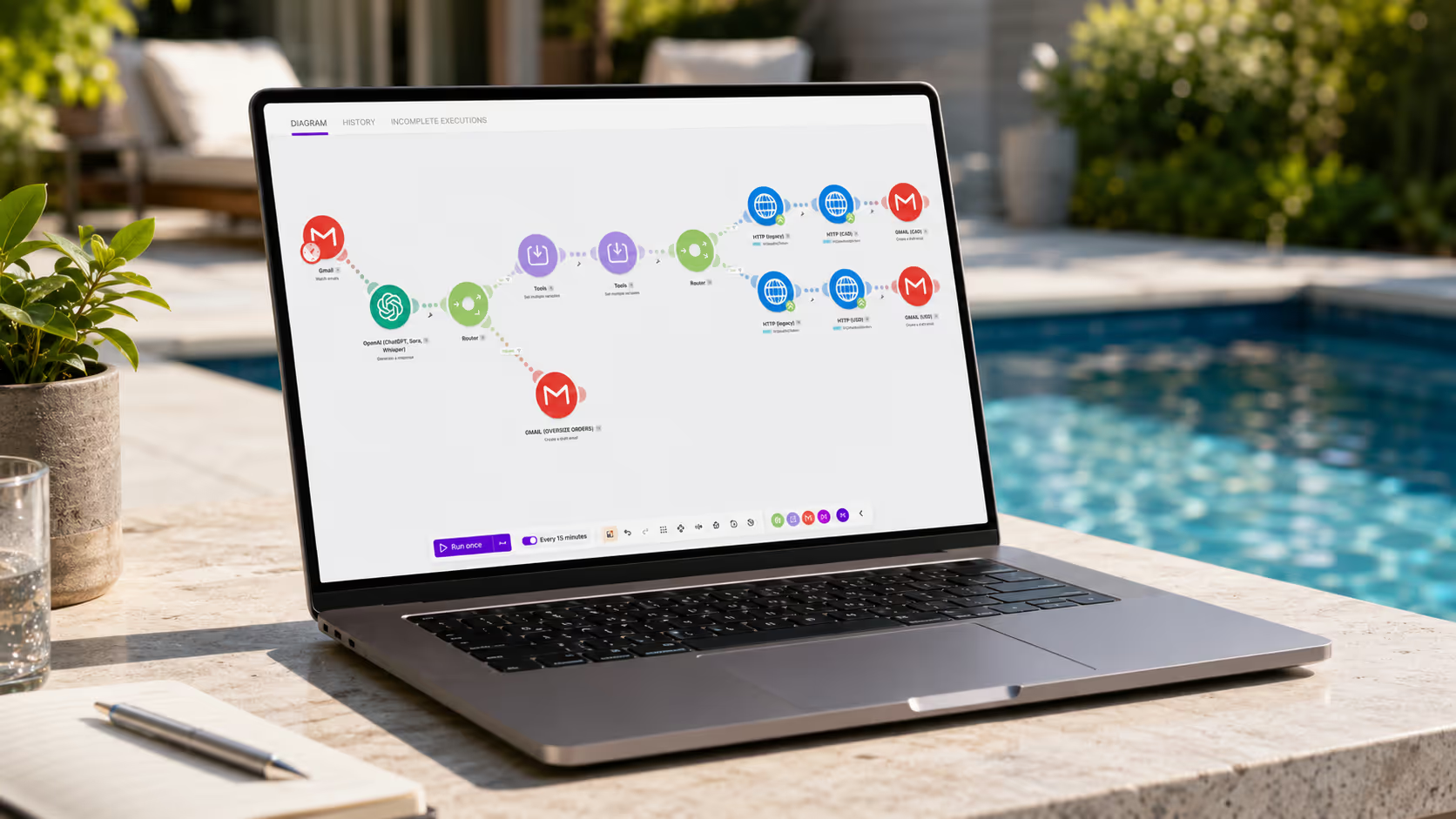
We built a workflow that watches the pool company's Gmail inbox. When a new email comes in that looks like a quote request, the workflow does the following:
- Reads the email body and any attached images.
- Uses an OpenAI language model to pull out the pool dimensions, the customer's pool type, the postal code, and any unusual notes.
- Sends that structured data through a router that decides whether the request is complete enough to quote, or whether the customer needs to be asked a follow-up question first.
- If complete, calculates the cover sizing based on the pool dimensions and the shop's standard tolerances.
- Looks up the right cover material and price based on the pool type and use case.
- Calculates shipping cost using the customer's postal code and the cover's finished dimensions.
- Drafts a quote email in the owner's voice, with the right line items and the right total.
- Saves the draft in his Gmail account, ready for him to read, edit if needed, and send.
That last step matters. We did not let the system send the quote on its own. The owner still reads every quote before it goes out. We took the work off his plate, not the decision.
The total time from inbox to draft quote is now under two minutes. The owner reviews and sends in another minute or two. From the customer's point of view, they emailed a quote request and got a personal-feeling response back within five minutes, even if the email landed at 11pm on a Sunday.
2.2 What is under the hood
For the people who want to know what we actually built with:
Trigger: Gmail watch via Make.com.
Email parsing: OpenAI GPT-5.4-mini, prompted to extract a structured JSON of pool dimensions, pool type, postal code, and customer questions. The model is also asked to flag anything ambiguous.
Router 1: Decides between "complete request", "incomplete, ask follow up", and "not a quote request" based on the model's output.
Sizing module: A small JavaScript function inside Make that takes the pool dimensions and returns the cover dimensions with the right edge and overlap tolerances.
Pricing module: A lookup against the price sheet for material and labour, plus a shipping calculator that takes the rolled cover dimensions and the destination postal code and returns a shipping cost from a Canadian courier API.
Quote drafter: A second OpenAI call that takes the structured quote data and writes the email in the owner's voice, in plain English, using a system prompt we tuned on his actual past quote replies.
Output: A Gmail draft saved to the owner's account, with the original customer email referenced so it threads correctly.
Cost to run the whole thing on a normal month? Roughly $25 in Make.com credits on the Core plan, plus another $5 to $15 in OpenAI API charges depending on volume. About $30 to $40 per month all in.
That is for a workflow that has, on its busiest weeks, taken something like fifteen hours of the owner's time and compressed it into under two hours of review.
2.3 The technical decisions that made this work
This is the part that distinguishes a real build from a chatbot-on-a-website build. Three calls we made up front, on purpose.
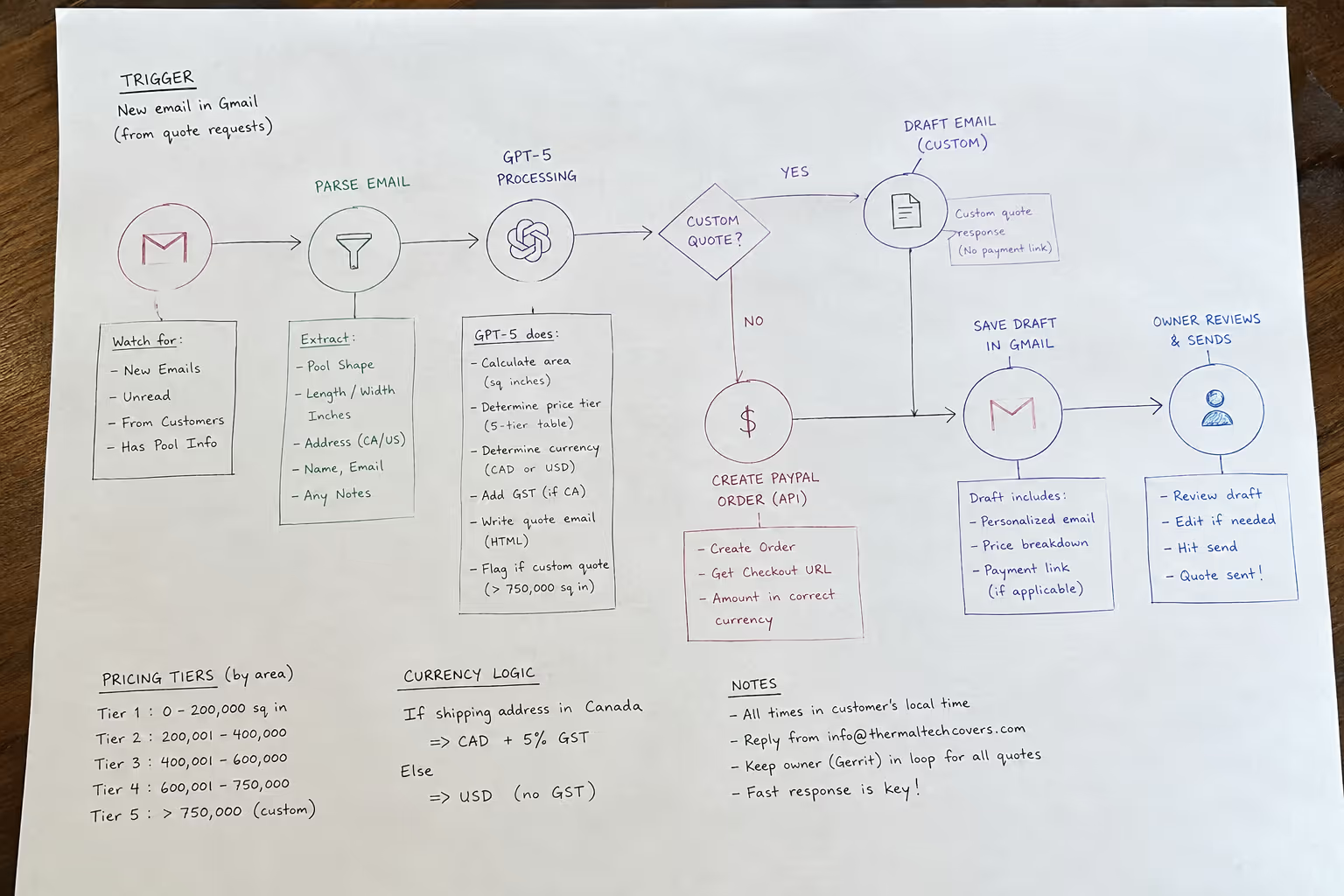
LLMs for parsing, regular code for math. We use the language model to read the email and pull out structured data. We do not let it calculate the price or the shipping cost. Math goes through deterministic JavaScript functions in Make, against actual price sheets and actual shipping rates. This matters because if you let the LLM do the pricing math, sooner or later it will round wrong, swap two digits, or forget the GST. None of those things are acceptable on a quote the customer is going to hold you to.
Drafts, not sends. The system never sends an email on its own. Every quote goes through the owner's eyes before it leaves his outbox. The amount of trust a business owner can place in an automation depends on where the off-ramp is. Putting it at "draft in my inbox" instead of "sent on my behalf" was the difference between this getting adopted and this getting shelved.
Tuned to his voice. The model that writes the draft was not just told "write a quote." It was given examples of how the owner writes quotes. Casual, friendly, specific. After a few rounds of tuning, the drafts read like he wrote them. Customers cannot tell the difference, and the owner has to edit roughly one in ten before sending.
We did not invent any of these patterns. They are how serious AI automation work has been done since the beginning of 2024. The reason most agencies do not do it this way is that it takes time, and it requires actually understanding both the tools and the business. Most agencies have one without the other.
3. The other things a real AI automation agency builds
The pool cover quoting workflow is a good story because it is specific and the math is clean. But it is one pattern in a much wider catalogue. Here are the workflows we get asked for most often by Canadian businesses.
3.1 Lead intake and qualification
Every web form, voicemail, and inbound email goes into one workflow. The system reads them, pulls out who, what, where, how big a job. Scores them against your ideal customer. Routes the hot ones to the owner or sales lead in real time, routes the rest into a nurture sequence. We have built this for trades, professional services, and B2B manufacturers from Calgary to Halifax.
3.2 Document generation
Quotes, proposals, contracts, statements of work, change orders, certificates. Any time your business is taking the same data and pouring it into the same Word or PDF templates over and over, that is a job for automation. We wrote about this in our post on turning a day of corporate filings into five minutes. Same playbook applies to anything document-heavy.
3.3 Inbox triage
For business owners and small teams drowning in email, an LLM can classify each incoming message into categories you actually care about. New quote request. Existing project update. Spam. Personal. Vendor invoice. Time-sensitive. Each category routes somewhere useful, which often means a label and a Slack alert rather than a reply.
3.4 Sales follow-up
The deal that died because nobody followed up is the most common revenue leak in a small business. An automation that watches your CRM (or your Gmail, if you do not have a CRM, which most blue collar businesses do not) and nudges you on stalled deals is one of the highest-payoff builds we do. Often paired with an LLM that suggests the actual content of the follow up based on the last thread.
3.5 Invoice and AR automation
Reading invoices into your accounting system. Chasing overdue accounts in your voice. Reconciling payments. There is more boring repetitive work in AR than almost anywhere else in a small business, and it is one of the cleanest fits for the kind of automation we are talking about. Stripe and QuickBooks Online both have decent APIs for this, and Make connects to both.
3.6 Reporting and weekly summaries
Pull the numbers from your booking system, your ad accounts, your accounting software, and your CRM. Have an LLM write a plain-English summary of what happened this week and what to pay attention to. Drop it in your email or Slack on a schedule. We have built this for owners who used to spend Sunday nights doing it themselves.
3.7 Customer service triage
Less glamorous than a chatbot, but more useful. An LLM reads incoming service requests, classifies them by urgency and category, drafts a first response, and routes them to the right person. The first response goes out from a real human after a quick edit, not from a bot. Customers feel attended to. Your team is not spending the morning reading and sorting tickets.
You will notice none of these involve a chatbot popping up on a website asking "How can I help you?" That pattern has been done to death, and the ROI on it for most small and mid-sized businesses is dubious. The bigger wins are in the back office, not the front door.

4. How to evaluate an AI automation agency before you sign
Most of the bad AI automation work being shipped in 2026 is being shipped by agencies that either do not understand the tools or do not understand the businesses they are selling to. Often both. Here is how to spot it.
4.1 Ask what their last build did, in concrete numbers
A real agency can answer this in two sentences with specific numbers. "We built a pool cover manufacturer a Gmail-watching workflow that cut their quote turnaround from same-day to five minutes and saved the owner around twelve hours a week." If the answer is a vague paragraph about "transformative AI solutions" or "agentic workflows", they have not actually built much yet. Move on.
4.2 Ask how they handle errors and edge cases
The hard part of automation is not the happy path. It is what happens when the email is in French, or the customer attaches a photo of their cat instead of their pool, or the model misreads a dimension. A real agency has thought about this and can describe the safety nets. They probably involve a human review step somewhere. If the pitch is "the AI handles everything", that is a red flag.
4.3 Ask what they will not let the AI do
This is the question that separates the operators from the wrappers. A serious agency has a clear answer about which parts of a workflow they will not trust an LLM with. Pricing math, legal text, regulated content, anything irreversible. If the answer is "we let the AI do everything", run.
4.4 Ask about Canadian data residency and privacy
If your automation is touching customer data, that data is going to pass through APIs operated by American companies unless somebody designs it otherwise. PIPEDA does not actually prohibit this for most use cases, but your customers might care, and some industries (legal, medical, government) absolutely do. Ask the agency to walk you through the data path. If they cannot, they have not thought about it.
4.5 Ask how they price
Real AI automation is not expensive to run, but it is not free to build. A reasonable range for a single, well-scoped workflow build in Canada in 2026 is anywhere from $3,500 to $25,000 depending on complexity. The ongoing run cost (Make, OpenAI, hosting) is usually $30 to $200 per month per workflow. If somebody is quoting you $50,000 for a single inbox workflow, ask hard questions. If somebody is quoting you $400, ask harder ones.
4.6 Ask who owns the build
Some agencies build your workflow inside their own Make.com account, on their own OpenAI key, and lease it back to you. That is fine as a service, but you should know that is what you are getting, and you should know what happens to your automation the day you stop paying them. Other agencies, including us, build inside your accounts on your keys so you own the automation outright and can run it without us. Both models work, but make sure you know which one you are signing up for.
4.7 Ask whether they will document it
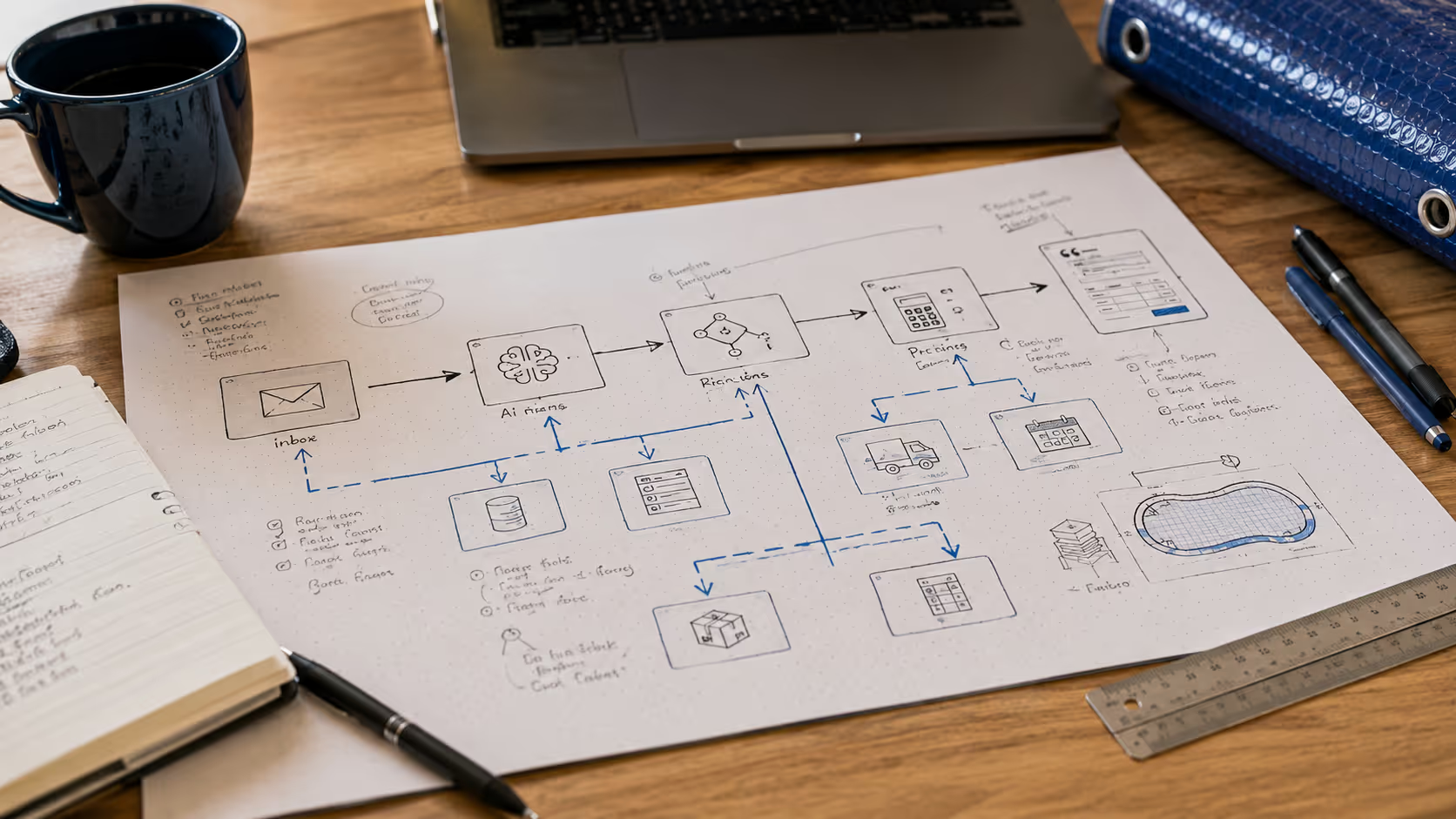
A workflow that lives in one person's head is a liability. A workflow that has a written runbook, a diagram, a list of every API key it depends on, and instructions for what to do if something breaks is an asset. Ask for the deliverable list. If documentation is not on it, ask why.
5. Where AI automation actually pays off (and where it does not)
Not every process should be automated. We turn down builds when the math does not work.
It pays off when:
- The same workflow runs more than a few times a week.
- The work is structured enough that the rules can be written down.
- The cost of an error is recoverable (a draft can be reviewed, a misclassified lead can be re-triaged).
- The current process has a clear human bottleneck or a clear lag.
It does not pay off when:
- The work is genuinely creative or relational and varies every time.
- The cost of an error is catastrophic (signed contracts, regulated filings, anything where wrong information has legal weight).
- The volume is low enough that ten minutes a week of manual work is the right answer.
- The data is too messy to work with without a much bigger upstream cleanup.
The pool cover quoting story works because the inputs are reasonably structured (a customer is describing a rectangular or oval pool), the rules are clean (sizing tolerances, material types, shipping rates), the volume is real (multiple quote requests per day), and the human stays in the loop on the final send. Most of the workflows that should be automated in Canadian businesses look like that. Some clearly do not.
A good AI automation agency will tell you which is which, even when it costs them the project.
6. The Canadian context
A note for Canadian readers, because this matters more here than it does in California.
Most of the AI tooling on the market is built by US companies. The data flowing through it lives, by default, in the US. For most Canadian businesses with normal customer information, this is operationally fine, and it is how almost everyone is already running their email, their CRM, their accounting software, and their cloud backups.
But there are specifics worth knowing.
PIPEDA governs how Canadian businesses handle personal information. Sending data to an LLM that is processed in the US is allowed, as long as you are transparent about it with your customers and you have a legitimate business purpose. For Quebec businesses, Law 25 added more specific requirements around explicit consent and impact assessments for automated decisions. If you are processing health information (PHIPA in Ontario, HIA in Alberta, similar laws in other provinces), you need to design more carefully, and you may need to use models that offer Canadian or European hosting.
Beyond privacy, there was the Artificial Intelligence and Data Act (AIDA), Canada's first real attempt at a federal AI law. It was bundled into Bill C-27, which died on the order paper when Parliament was prorogued in January 2025, and the federal election that spring meant it never came back in its original form. So as of now there is no federal AI-specific law in force. The country is still running on PIPEDA, the provinces are moving on their own (Ontario, for example, has been advancing its own AI rules), and most businesses are treating Quebec's Law 25 and the EU's GDPR as the practical baseline. A federal framework will land eventually, and when it does the direction of travel is clearly toward more disclosure for systems that materially affect people, especially in regulated industries. Nothing to panic about today, but worth designing for now rather than retrofitting later.
For most of the businesses we work with, the practical translation is: be honest with your customers when an automation is involved, keep a human in the loop on anything consequential, and pick agencies that can answer the data residency question without flinching.
7. What working with NerdySpider actually looks like
We build AI automation work the same way we build software and websites. Discovery first, then a scoped phase, then iteration. We do not sell open-ended retainers that produce vague monthly progress reports.
A typical engagement looks like this:
Discovery call. Free, fifteen minutes, on the discovery call page. You describe your business, the process that is bottlenecked, and what you have tried already. We tell you whether automation is the right answer.
Growth roadmap workshop. Two to three hours with you and the people who actually do the work. We map the current process, find the bottleneck, sketch the automation, and put a real number on what it is going to cost to build and run.
Scoped build. We agree to a phase with a specific deliverable, a specific timeline, and a specific price. Most workflows are built in two to six weeks depending on complexity. You see drafts and demos as we go. You sign off on the final flow before it goes live in your inbox.
Live and supported. Once it is running, we either hand it off with documentation for you to manage in your own accounts, or we run it for you on a support agreement. Your choice.
That is the model. It is not magic. It is project work, scoped and priced like other project work.
8. Frequently asked questions
Is "AI automation" the same as having a chatbot on my website?
No. A chatbot is one possible output of one kind of AI workflow. AI automation is a much broader category that mostly happens behind the scenes, in your inbox, your CRM, your accounting software, your dispatch system. The chatbot is the most visible kind of AI on a small business and often the least valuable.
Will an AI automation replace my staff?
In most of the builds we have done, no. It removes specific repetitive tasks from specific people so they can do the parts of their job that actually need a human. The pool cover owner is still the one quoting his customers. He is just not the one calculating shipping at 11pm anymore.
How much does an AI automation build cost in Canada in 2026?
Most single-workflow builds we deliver land between $3,500 and $25,000, depending on the complexity of the data, the number of systems being connected, and how much business logic has to be written from scratch. Ongoing run costs (Make.com, OpenAI, hosting) are usually $30 to $200 per workflow per month. Workshops and discovery calls before the build are how we figure out the real number for your specific case.
Do I need a CRM before I can automate anything?
No. A lot of the most effective workflows we have built run entirely on Gmail, a Google Sheet, and a couple of APIs. CRMs help when your sales team is more than two people. Below that threshold, an automated inbox plus a clean spreadsheet often beats a half-implemented CRM.
What if my data is messy?
Welcome to the club. Most automation projects start with at least one cleanup phase. The good news is that LLMs are reasonably good at reading messy data and turning it into structured data, which means the cleanup that used to be a manual project for an intern can often be the first step of the automation itself.
Can I build this myself with Make.com and ChatGPT?
Maybe. If you have the time, the patience, and the willingness to learn, the tools are absolutely accessible to a determined business owner. What an agency adds is speed (we have built this pattern dozens of times), reliability (we know the edge cases and the failure modes), and the parts that are not strictly automation (system prompt design, schema thinking, integration debugging, documentation). For some businesses it is worth paying for. For others it absolutely is not.
Will you build it inside my accounts or yours?
Yours. By default, every workflow we build for a client lives in the client's Make.com account, on the client's OpenAI or Anthropic keys, with the client owning the data and the IP. We can run it for you on a support agreement if you want, but the asset stays yours.
How fast can we get started?
A discovery call this week, a workshop next week, a scoped phase the week after. The first version of the pool cover workflow went live about six weeks from the first conversation. Smaller workflows have shipped in two.
Related reading
- How We Turned a Full Day of Corporate Filings Into Five Minutes. A different automation story, this one for a Canadian law firm.
- Before You Start a Software Project, Read This. The questions every custom software or automation project should answer before anyone writes code.
- The Discovery Workshop That Decides Whether We Take Your Project. How we figure out whether your project is the right fit for us.
- The Complete Guide to Lead Generation in Canada 2026. The full system view, of which automation is one piece.
- Custom Software & Automation Case Studies. Every automation build we have shipped, written up like the pool cover story above.
Want to talk?
Book a free 15-minute discovery call. We will look at your current workflow, find the bottleneck, and tell you honestly whether AI automation will pay for itself for your business. No pitch deck. No "leverage synergies." Just a straight conversation.


.avif)